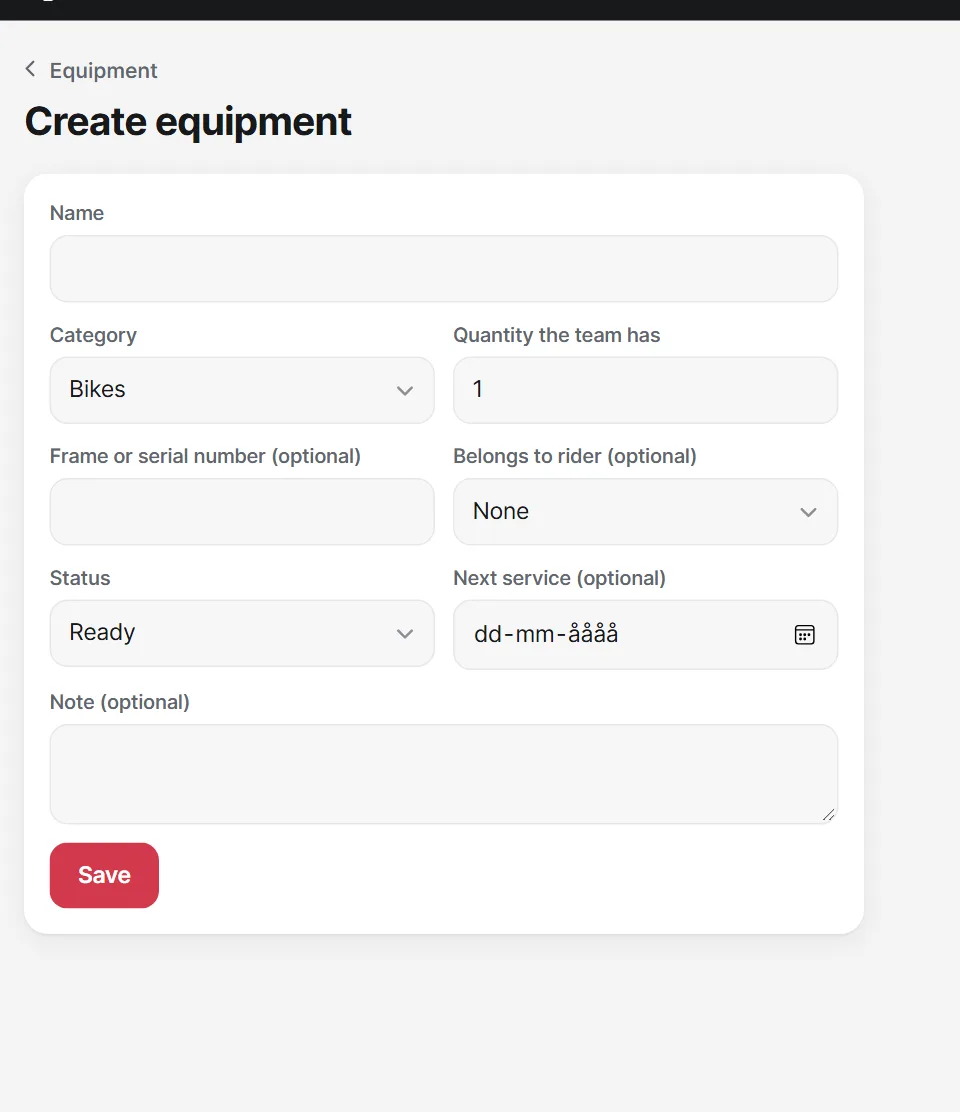
Add your team's cars and equipment once, then choose them for each race.
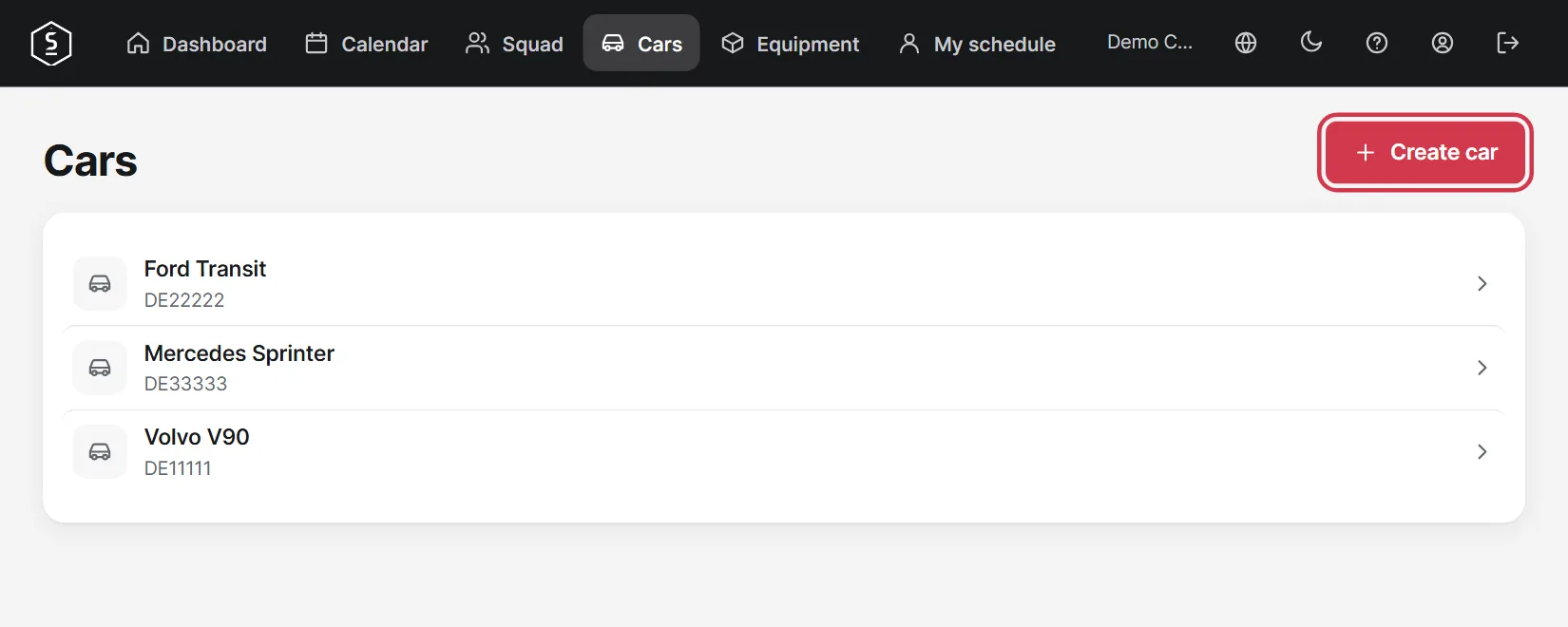
Go to Cars and tap Create car.
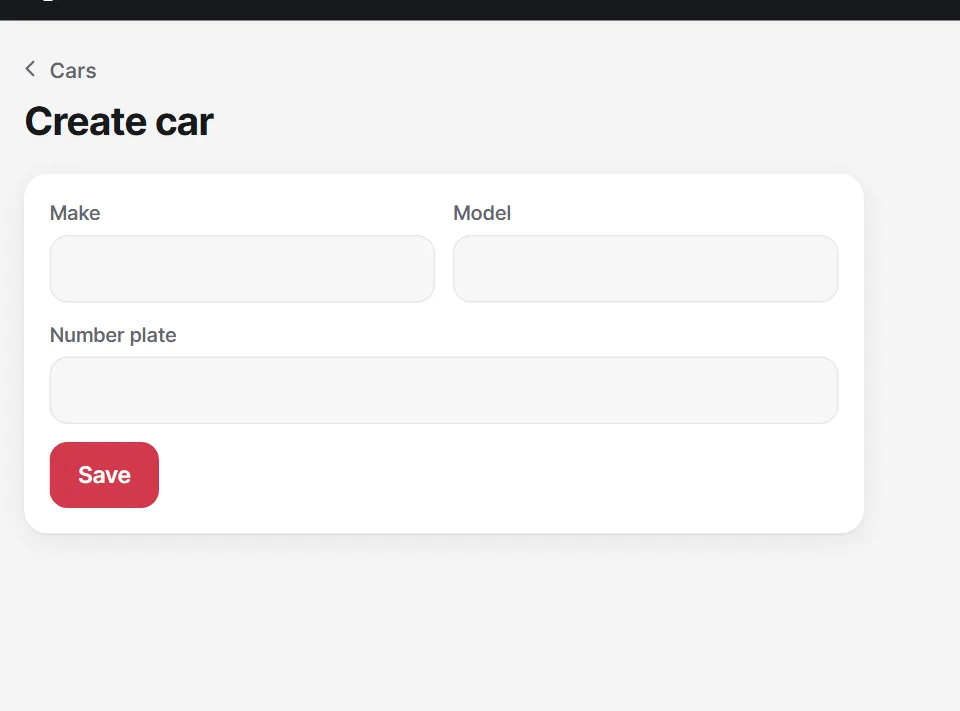
Make, model and registration number are enough. You choose the number of seats for each race.
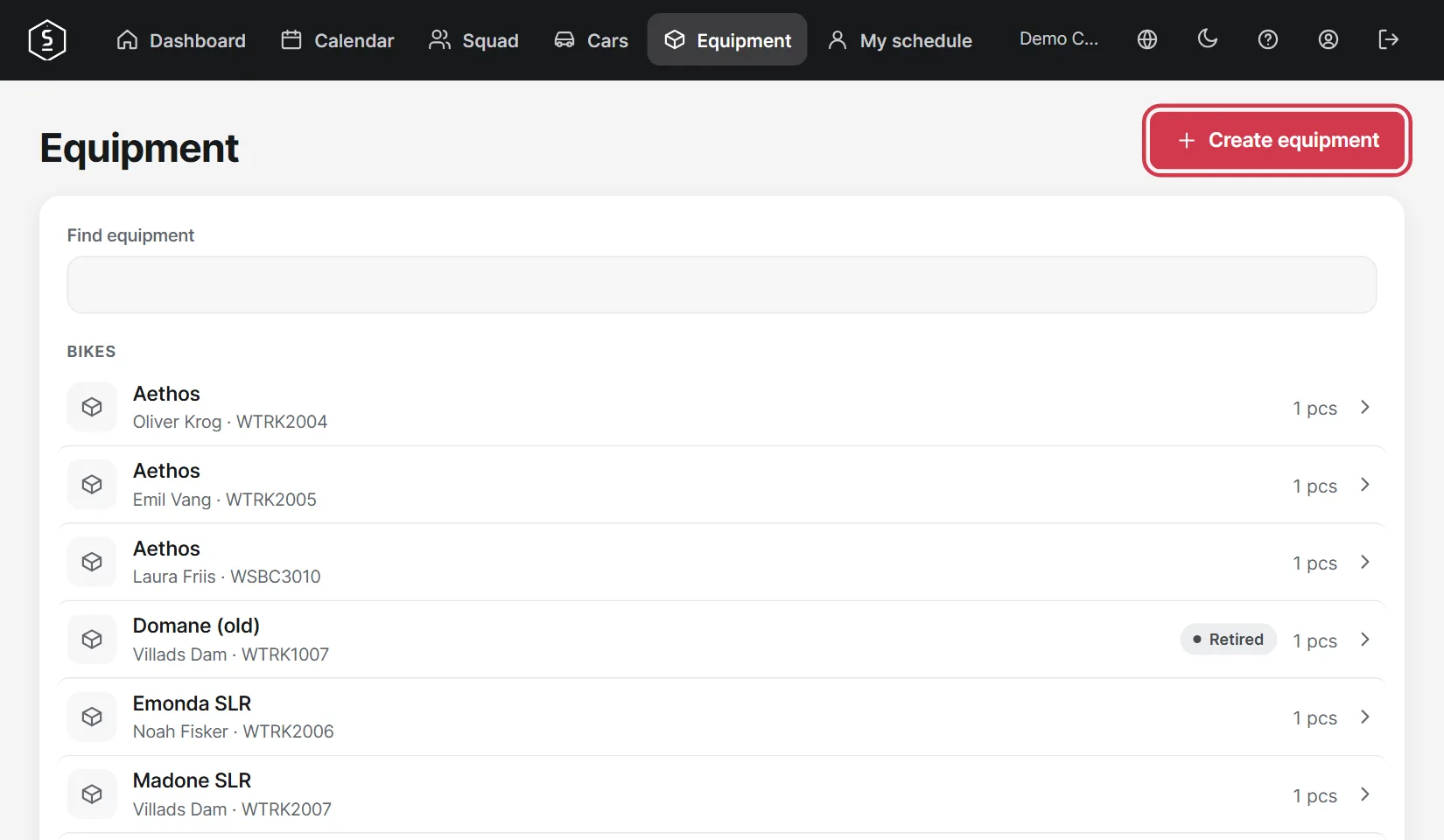
Go to Equipment and tap Create equipment. The list is sorted by type, and you can search it.
Enter how many you have and link it to a specific rider if needed. You can also set when it is due for service.