Let the app make a suggestion, or place people yourself.
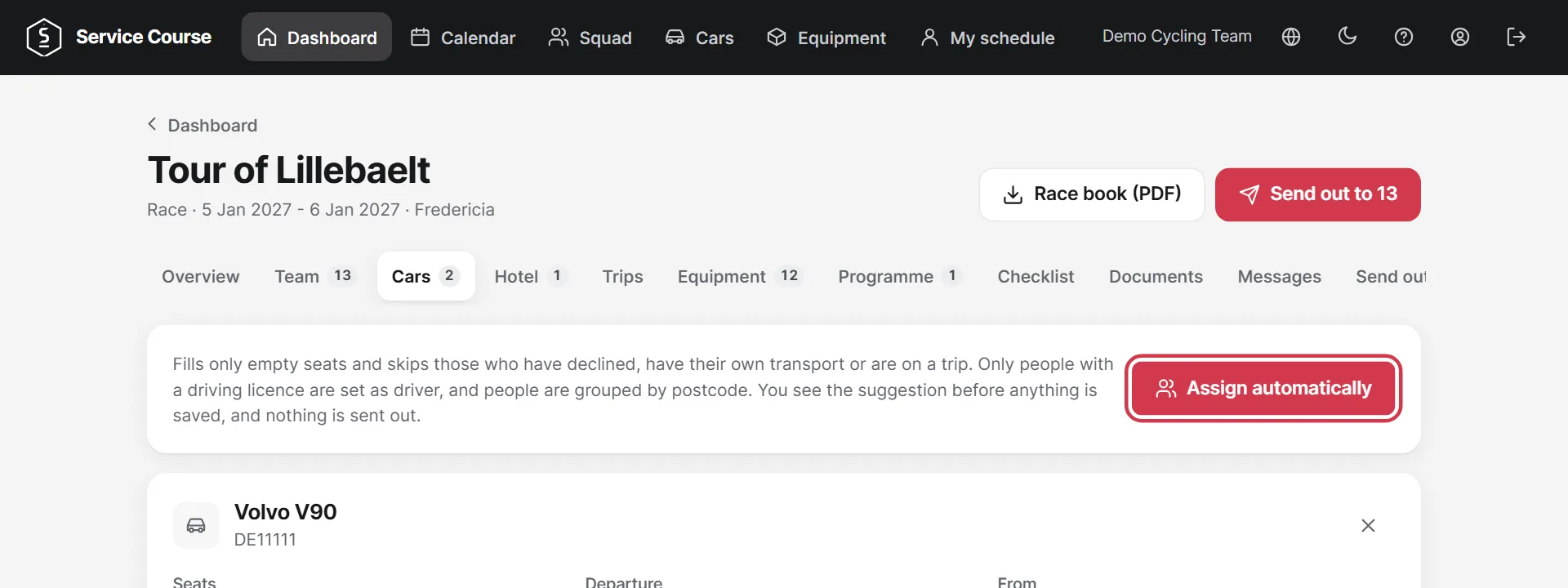
On the Cars tab the app can fill the empty seats. Only people with a driving licence become drivers, and people are grouped by postcode.
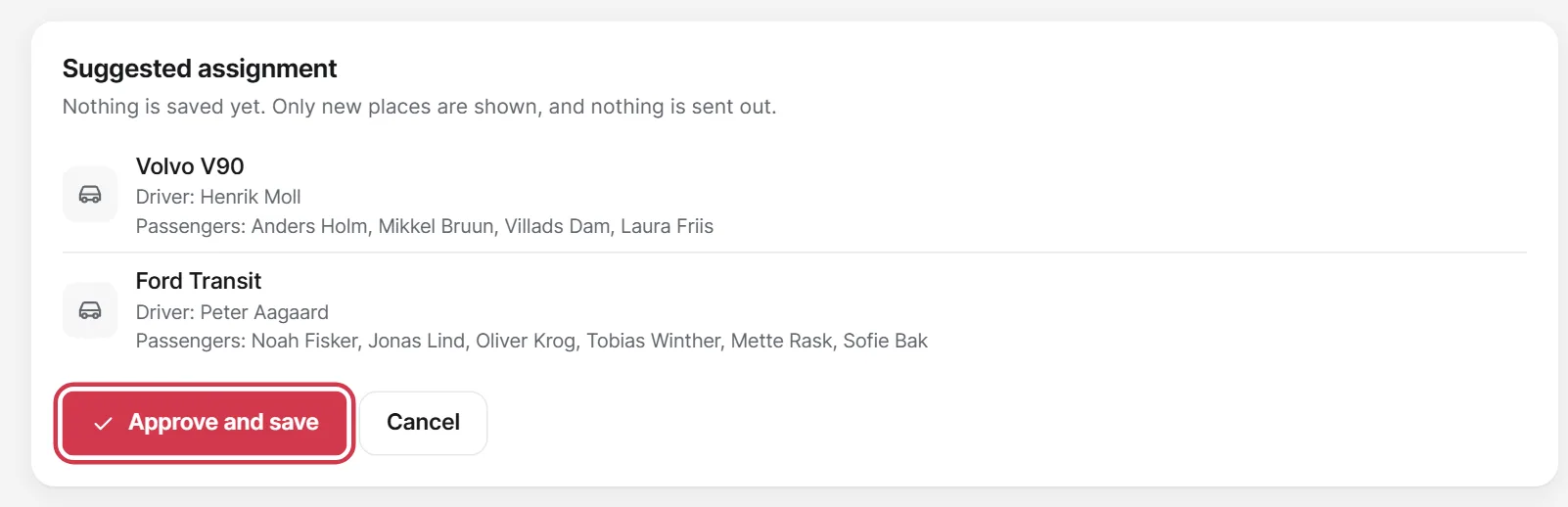
You see the suggestion before anything is saved. Tap Approve and save if it looks right.
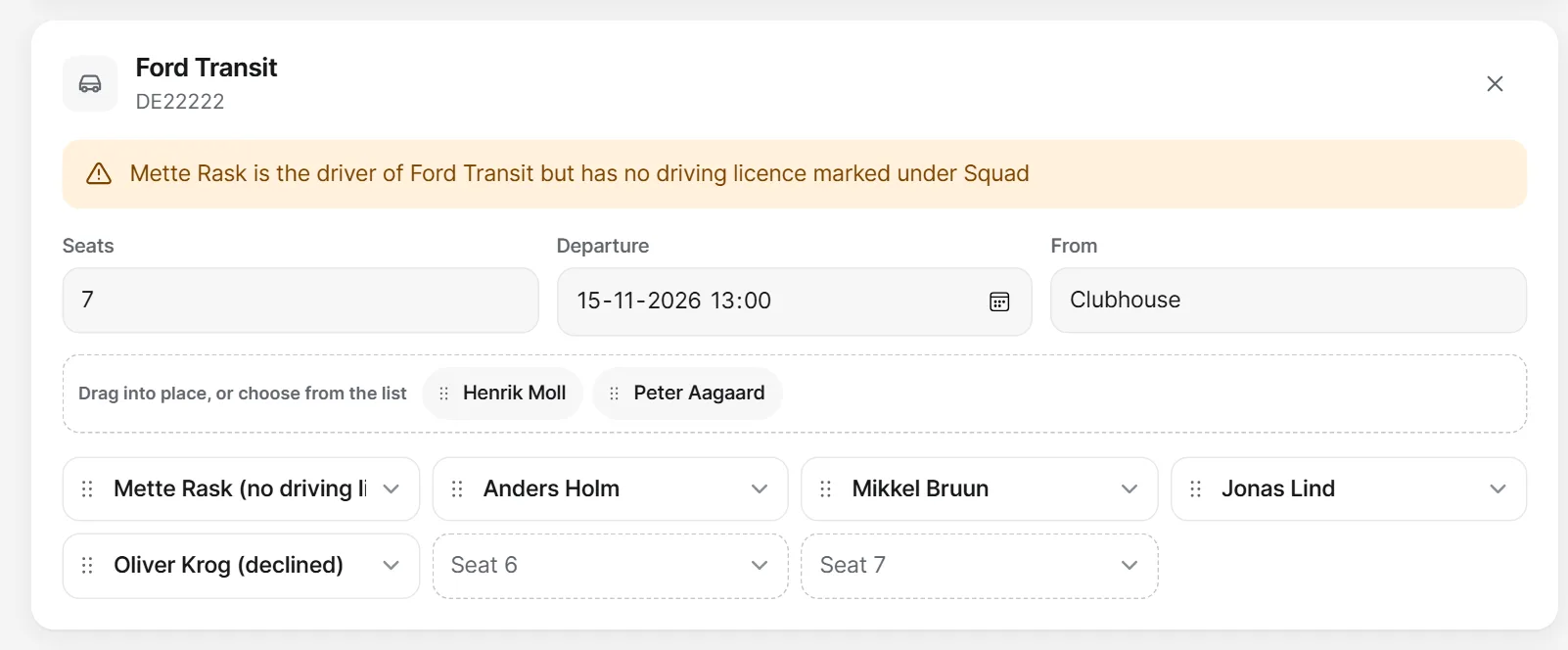
Drag people into place or choose them from the list. This is also where you set seats, departure and meeting point. Tap Save car when you are done.
The Hotel tab works the same way. When the app assigns rooms, riders and staff are kept apart, and so are women and men. Tap Save rooms when you are done.
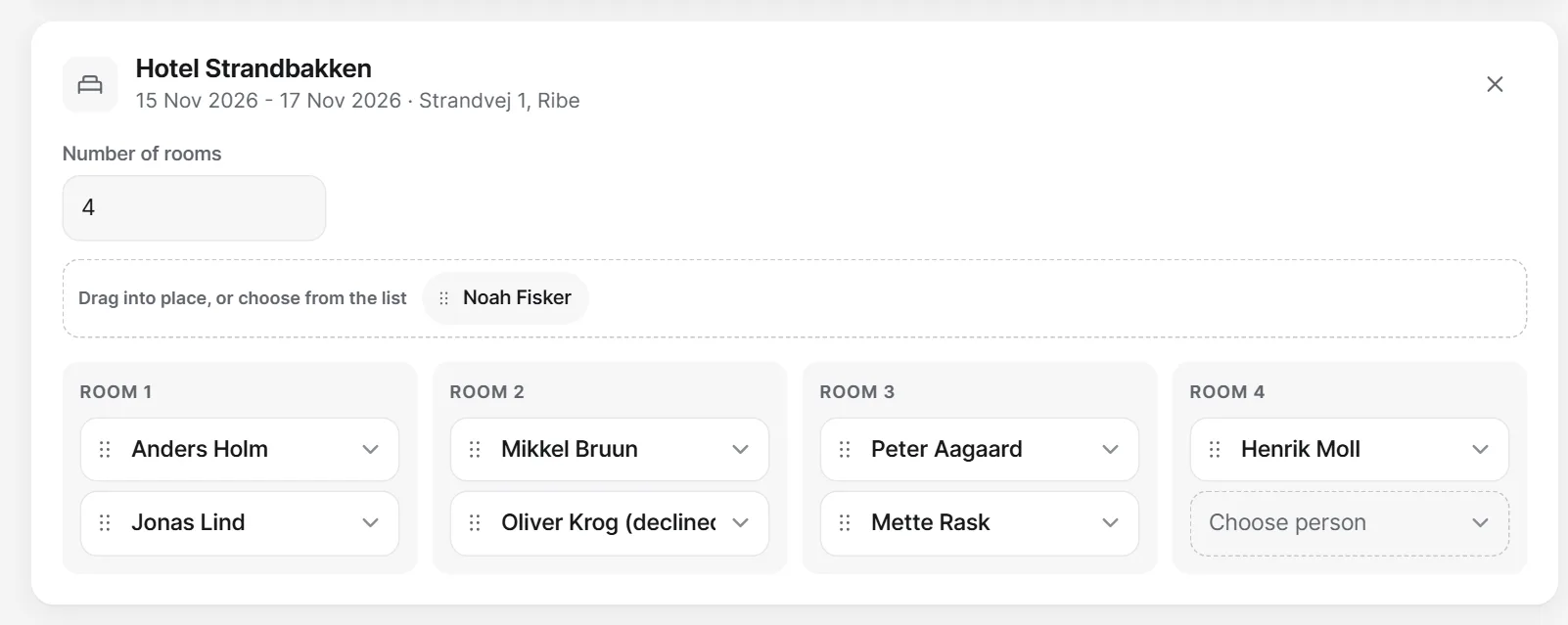
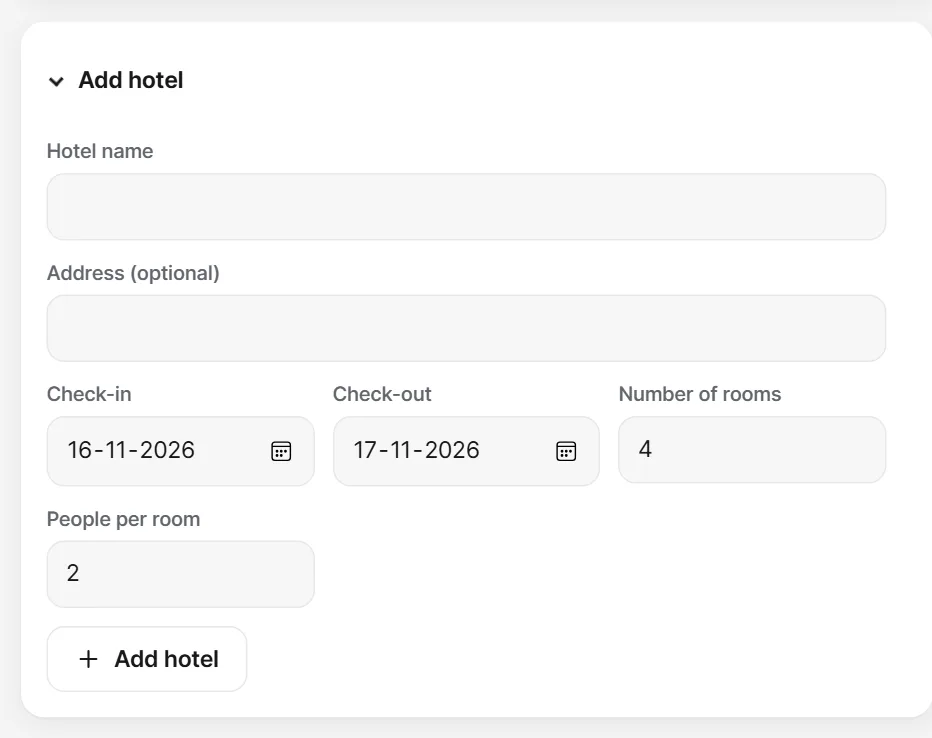
Enter the name, dates, number of rooms and people per room under Add hotel.